Web view
agent-top ui serves a web page of the local store on this machine.
agent-top ui                         # http://127.0.0.1:4320/
agent-top ui --addr 127.0.0.1:8080   # another port
agent-top ui --db ./mine.db          # another store
Open the address it prints in a browser.
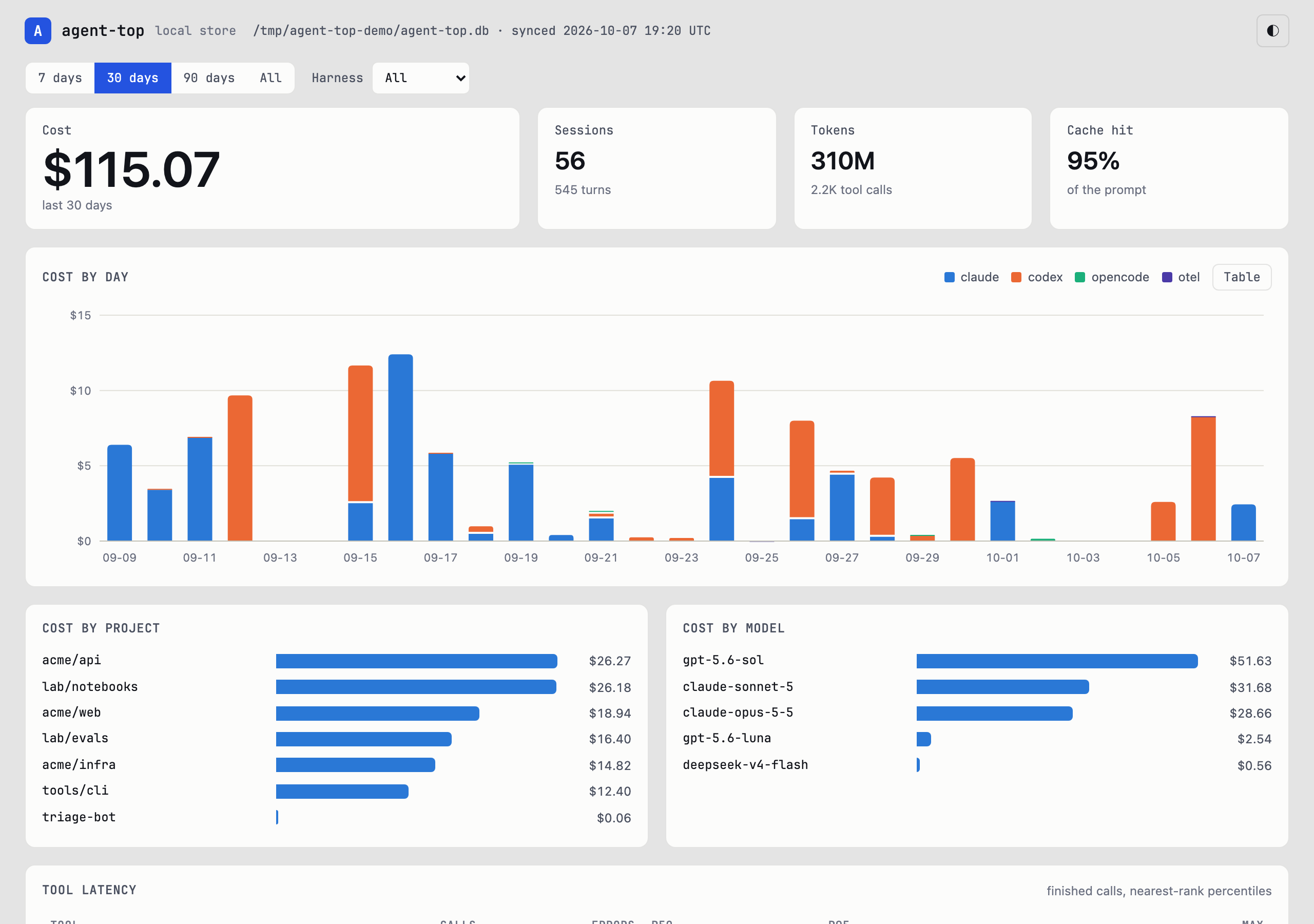
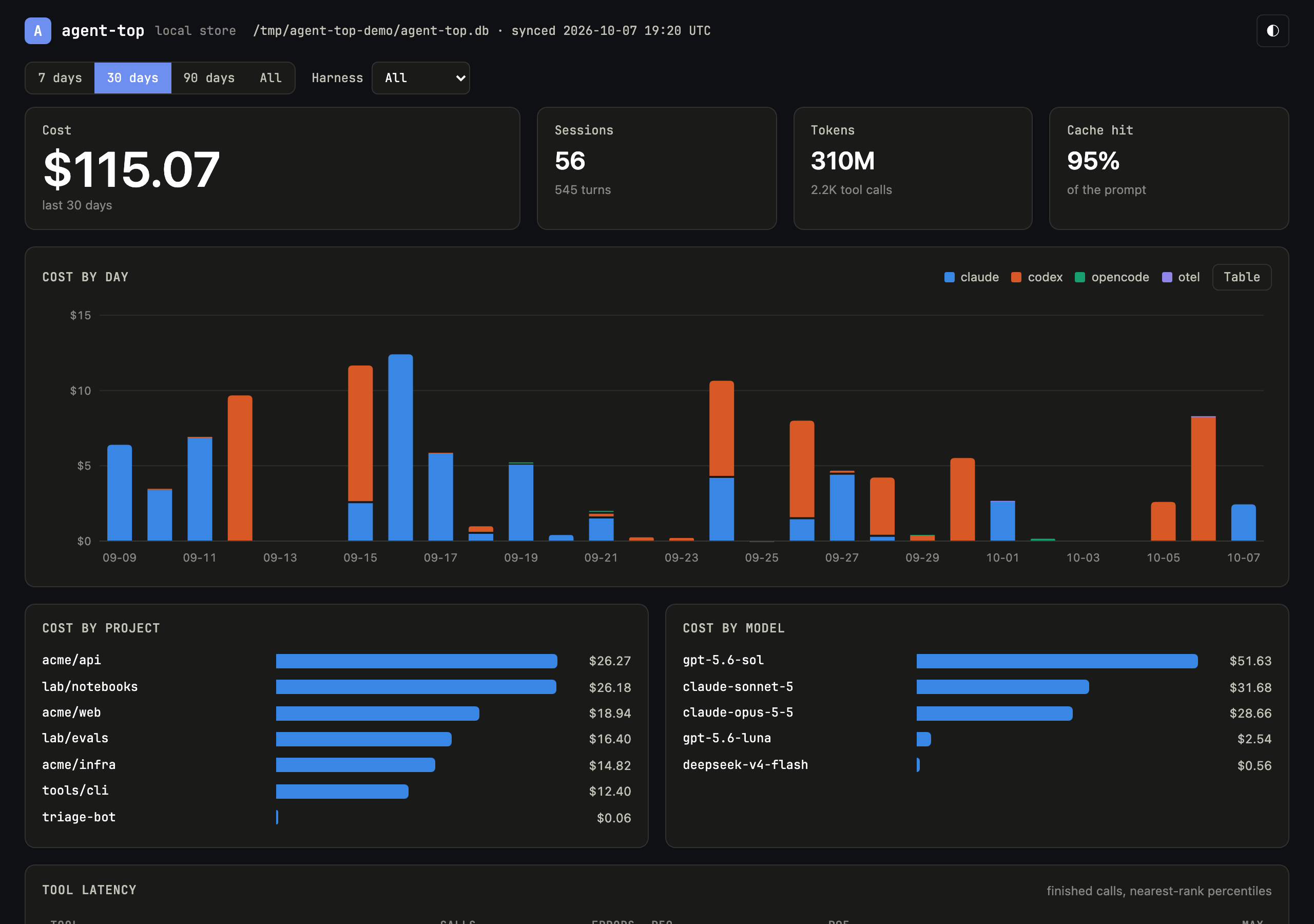
The page shows:
| Section | What it shows |
|---|---|
| Totals | cost, sessions, tokens, cache hit and unpriced tokens for the range |
| Cost by day | one column per day, stacked by harness; Table shows the same numbers as rows |
| Cost by project, cost by model | the ten most expensive |
| Tool latency | calls, errors, p50, p95 and the longest call for each tool |
| MCP servers | calls and errors per server, when any session used one |
| Sessions | the 200 most recent; select one for its detail |
| Session detail | its facts, its turns with duration, tool calls and errors, and a waterfall of the spans in the selected turn |
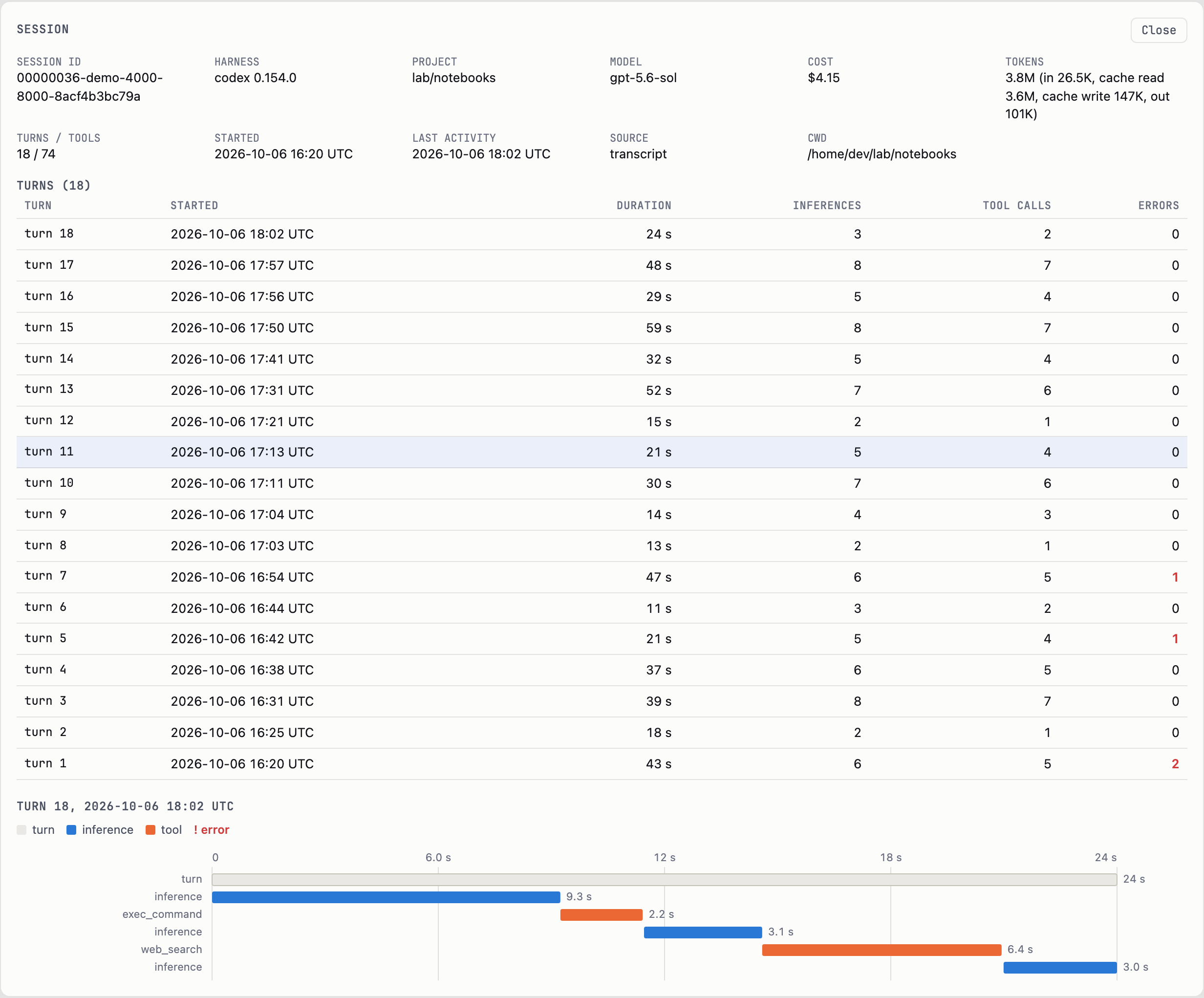
The range (7, 30 or 90 days, or all) and the harness filter apply to every section. Each harness keeps one colour everywhere. A session's detail has its own address (#s/<harness>/<id>), so it can be reopened or bookmarked.
Each request reads the store afresh, so reloading the page shows the latest sync or received telemetry. The view opens the store read-only and cannot change it.
The images on this page come from a made-up store that docs/ui-demo.py builds; they show no real sessions.
Who can open it
It listens on 127.0.0.1 unless --addr names another address, so only this machine can reach it. It answers only GET, and refuses a request whose Host header is not its own address or localhost on its port, which stops a web page in another tab from reading it under a different name. The page, its script and stylesheet are built into the binary; it loads nothing from anywhere else, and its Content-Security-Policy forbids it.